
For several years our company has been getting by with uploading our stock photo of No Address when there are no physical address markers found at the property. It used to suffice our clients, but times are changing. Two of our largest clients no longer accept our No Address photo when there are no address markers at the property. Mainly because they see a pattern of those who simply failed to locate the posted address at the property. Our clients will match our photos with previous photos to see if the address has been found in previous inspections.
There is a new requirement. Our clients are now wanting us to go online and upload a snapshot of a webpage that shows a photo of the property and the address from one of three sources.
Realtor.com
Zillow.com
Trulia.com
Even though there are other good websites to show photos of the property, for some reason those are the only three they authorize. So let’s say you go to 103 Jennifer Ln. and when you get there, you discover there is no address marker in sight. You need to use your web browser on your phone and go to one of the three acceptable websites and take a snapshot of the website. If you are not sure how to take a screen snapshot on your cell phone, you’ll have to learn how.
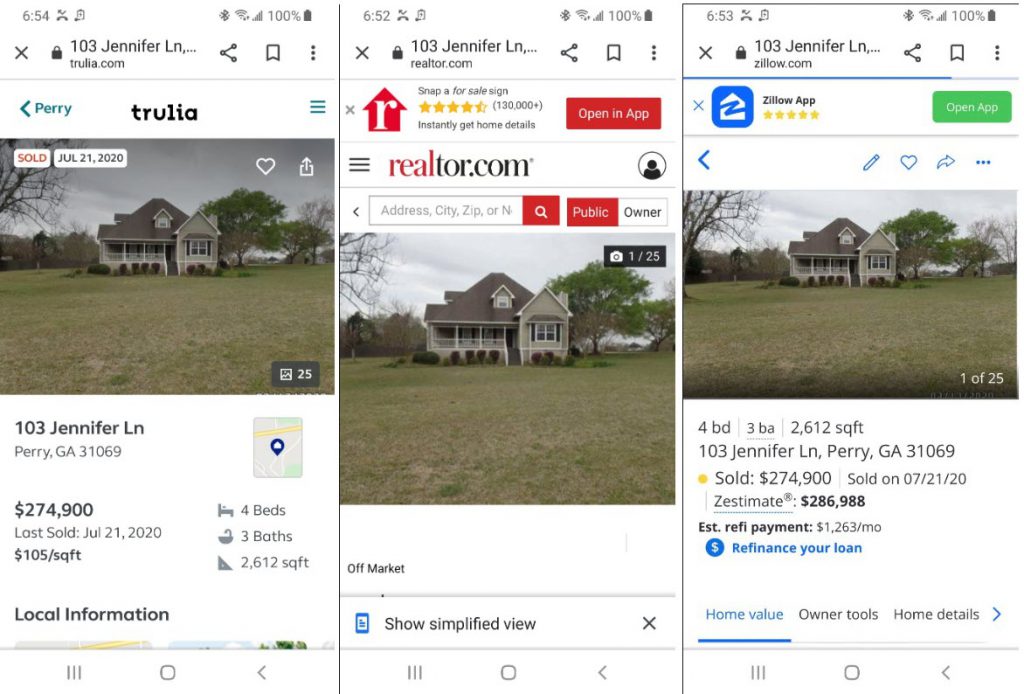
It would be a mistake to download the realtor service app on your phone because oftentimes they will not show the name of the website. If you have the Realtor.com app and you look up this address, when you go to take the snapshot, it will not show Realtor.com in the snapshot. You need to go to the web page, not the app. Your snapshot MUST include the name of the website from either Realtor.com, Trulia, or Zillow.
So you have your snapshot, now what?
The only way to do this is to log in to the InspectorADE.com website, open your inspection, and then upload your snapshot to the inspection using the Update tab. Label it as House#/Address. Hit the Save button. You will get a warning or failed validation error message but just ignore it. When you continue with your field inspection using the InspectorADE cell phone app, the photo you uploaded to the InspectorADE website version will be included in your report. You will not see the snapshot in your InspectorADE cellphone app.
This process is such a pain in the rear. Are you sure you can’t look harder for that posted address marker at the property?